Obsidian is a note-taking application. It’s widely used by academics, content creators, and other knowledge workers for its ability to create your own Wikipedia of sorts.
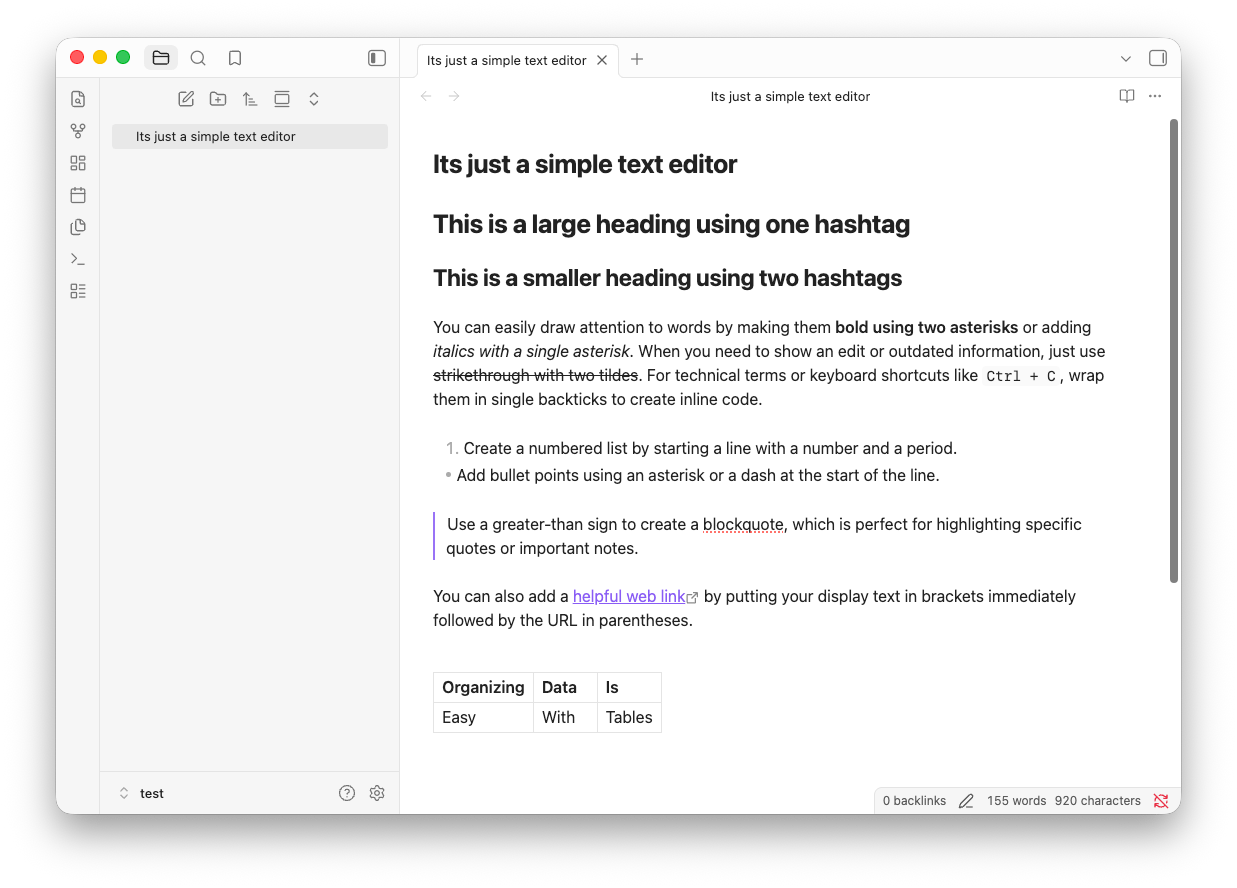
Unlike your most commonly known note-taking apps, Obsidian differentiates itself on three important aspects:
- It is extendable
- It is local-first
- It is Markdown-based Let’s take them one by one.
Extendable
Obsidian, at the surface level, allows you to create, edit, and manage markdown files. But its plugin ecosystem is rich enough that you can fit it to your own specific needs and personal workflow. You can do stuff like,
- add links and backlinks to your notes just like how you see interconnected links on this website; this helps you retrieve and recollect your knowledge better
- view your interconnected web of notes as a graph, where each note is a node; this helps you understand the connection between your notes, and find new insights
- query your notes like a database to easily group similar notes
- and do lots more with the in-built and community-built plugins.
Since Obsidian is built on web-tech, you can build your own plugins to customize your note-taking experience. Here are a couple of inbuilt and community plugins I go to in every new vault.
Local First
Obsidian is local first, meaning your notes are stored as .md files in your own disk.
“Goutham, in the age of cloud apps, why do we even need local-first?” is a valid question. But when it comes to cloud apps, say Evernote, you will often run into scenarios where the tool that you were using in the past doesn’t serve your current or future needs.
- your provider may change their pricing model so that it becomes expensive for your specific needs
- you may not be fully confident about how private your notes are
- your favorite app might just not keep up with your evolving note-taking needs
The solution to this is file over app.
File over app
File over app is a philosophy: if you want to create digital artifacts that last, they must be files you can control, in formats that are easy to retrieve and read. Use tools that give you this freedom.
File over app is an appeal to tool makers: accept that all software is ephemeral, and give people ownership over their data.
— Steph Ango, CEO, Obsidian
Markdown editor
Local-first puts your notes on your own disk. Markdown decides what is inside those files.
“Goutham, in the age of cloud apps, why do we need to work with markdown?” is also a good question.
Your Notion notes sit in their database in a proprietary format. The same goes for Evernote, OneNote, mem.ai, and Roam Research. You can export them and try to use them without losing any context, but there is always some context lost in translation between proprietary data models.
Markdown is the simple, open standard that fixes this. Any past, present, or future software that supports markdown can make use of your data. My notes will outlive whichever app I’m using this year. That is what file over app is about.
Then AI showed up
The argument for Markdown got a lot stronger once AI arrived. For many reasons, AI loves Markdown. Every AI agent feels right at home with markdown. The very garden you are reading this on is written in .md, on iA Writer or Obsidian, and reviewed by my Claude Code agent before it reaches you. The same files that I read on Obsidian, any agent with file-reading capabilities can read, edit, and reason over without any transformation.
Local-first, extendable, plain markdown. That combination is why Obsidian stuck when nearly every other tool fell off, and why it is one of the first apps I install on a new system. These days it is my personal knowledge management system, the CMS for this website, and my daily workspace at work.
See also:
To write: