TL;DR
- iA Writer has a lovely feature called Authorship that marks which parts of a document were written by AI. It was built for the copy-paste era of 2023.
- I write with Claude Code, which edits files directly. The manual workflow Authorship assumes simply doesn’t exist for me anymore.
- So I wired Claude into iA Writer’s URL Commands and built a small CLI, an MCP, and a skill that let the agent make edits and stamp them as AI automatically. Repo’s here.
I’ve hunted for well-made digital tools for about as long as I’ve used computers. It’s one of the main reasons I fell for software in the first place.
So when I finally started writing more, iA Writer jumped straight off my someday list. It had been sitting there for years, and I was genuinely excited to open it.
The more I used it, the more it won me over. Not with features, exactly, but with restraint:
- A zen mode that hides every scrap of interface except the words you’re writing.
- Line, paragraph, and typewriter focus modes to narrow that even further. (I still don’t quite get how “typewriter” focus is meant to work, but I trust there’s a reason.)
- Syntax and style highlighting that shows you how your words sit together, so you learn to weave them better.
- And Authorship, which marks different stretches of text with different “authors” so you can see exactly who wrote what.
Authorship
Authorship was the feature that actually pulled me in. It marks portions of a document as AI-written, so you can go back and review those parts and make them yours. That is, almost to the letter, the workflow I already run at work and in my own writing.
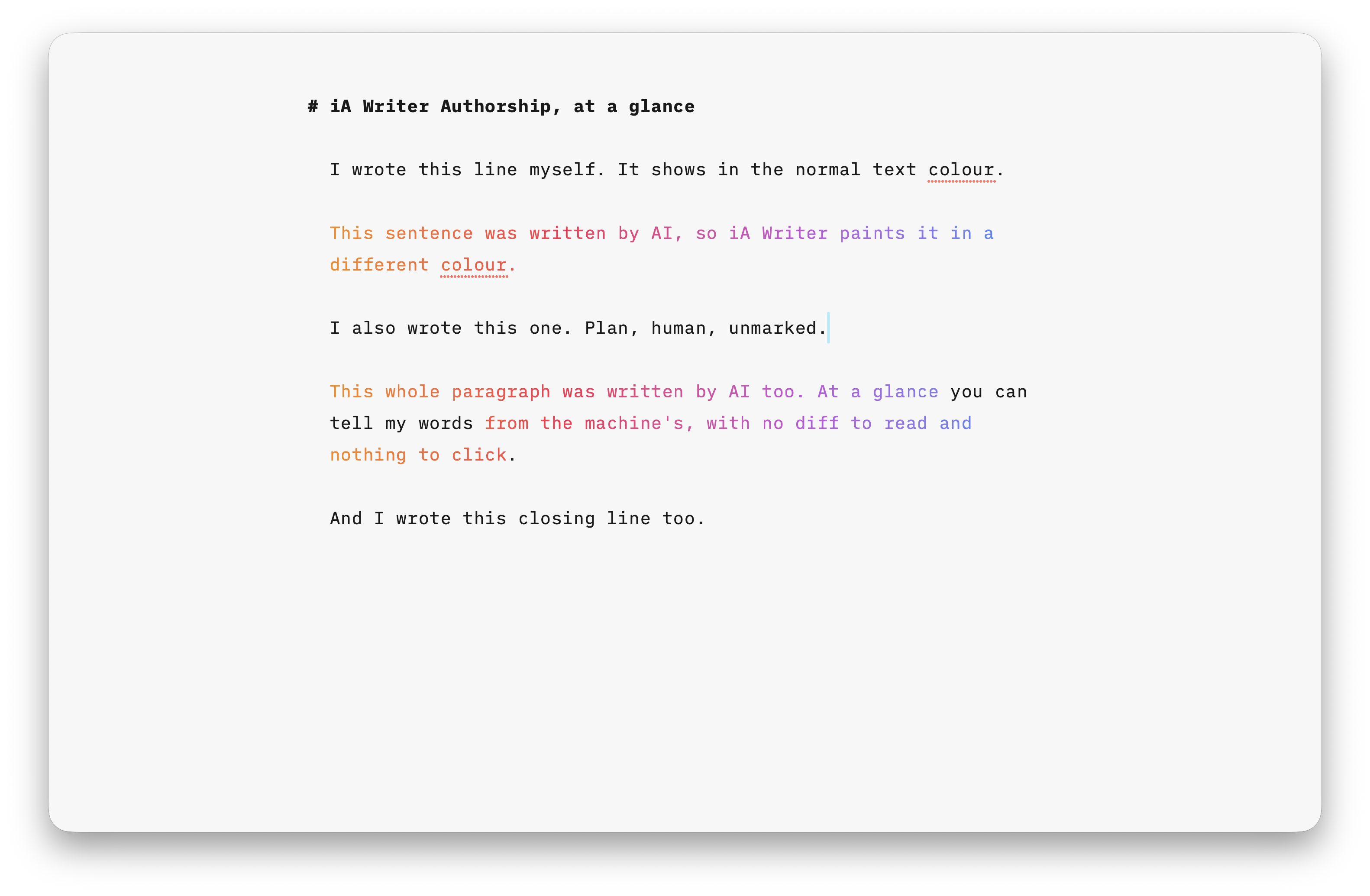 Authorship in action: the AI-written lines marked off from everything I typed myself.
I draft in Obsidian, hand it to Claude Code (or Cowork) for a review, and iterate until the piece is sharp. Knowing precisely which parts the agent touched saves me from re-reading the whole thing on every pass. And yes, before you say it: you can read the agent’s edits in Claude Code’s diff view. I just think writing deserves something better than a code diff.
iA Writer’s Authorship solves exactly that.
Or so I thought.
The feature does mark AI-written text. But it expects you to do the marking by hand. To use it you have to:
- Turn on Authorship for the document.
- Mark all unspecified text as yourself.
- Whenever the AI hands you something, manually choose “Paste as AI” from the menu.
That’s a beautiful workflow if you copy your document into a chatbot, get the improved version back, and paste it in. “Paste edits as AI” stamps whatever changed. It was a genuinely great idea in 2023, when the feature shipped.
But that’s not how AI writing works for me anymore. The edits arrive automatically, made in place, while I’m doing something else. I live in my Personal Workspace directory where Claude Code already has all my notes and preferences for context. There’s no copy, no paste, nothing to mark by hand. The feature is right. The era it was built for is gone.
So I went looking for the seam.
The Seam
It turns out iA Writer exposes URL Commands (its version of app intents) for triggering actions programmatically.
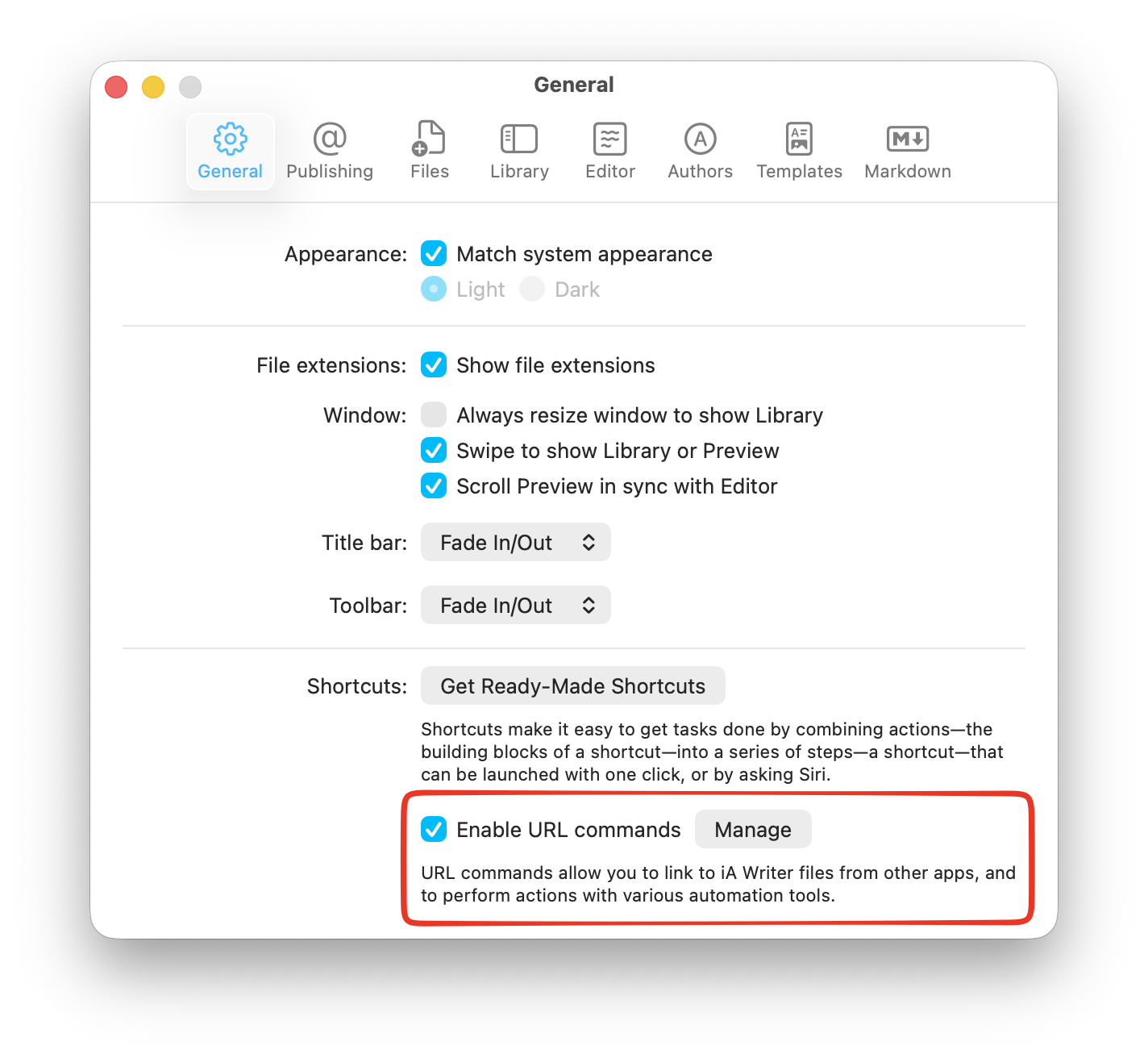 iA Writer’s URL Commands, the seam that made this whole thing possible.
The one I needed was the write command. It lets an external tool create or modify a file’s contents and tag those contents as AI. That’s the manual “Paste edits as AI” step, minus the manual part. The copy-paste just disappears.
I had Claude run a quick proof of concept against it, the tests passed, and from there I built three small things to make my writing life easier:
- A CLI that Claude reaches for whenever it works in a file with Authorship enabled. It makes the edit and marks it as AI in one move.
- An MCP that wraps the CLI so Claude Desktop (Cowork) can use it too, which makes the whole thing shareable.
- A skill that tells Claude to use the tool automatically when it’s working in one of my iA Writer locations, when a file has Authorship blocks at the end, or whenever I just ask it to.
The upshot: I write, the agent edits, and every word it touched is already marked as AI by the time I look. No diff to squint at, no menu to click. The feature finally fits the way I actually work.
Try it
If you write with iA Writer and an AI agent, this closes the same gap for you. Grab it, kick the tyres, and tell me what breaks: ia-writer-mcp. Feedback and issues very welcome.